
The Life of a File
FirmWorks Files provides a myriad of components to assist in working with Salesforce files. The story begins with ingestion of the file via uploading to Salesforce.
Uploading
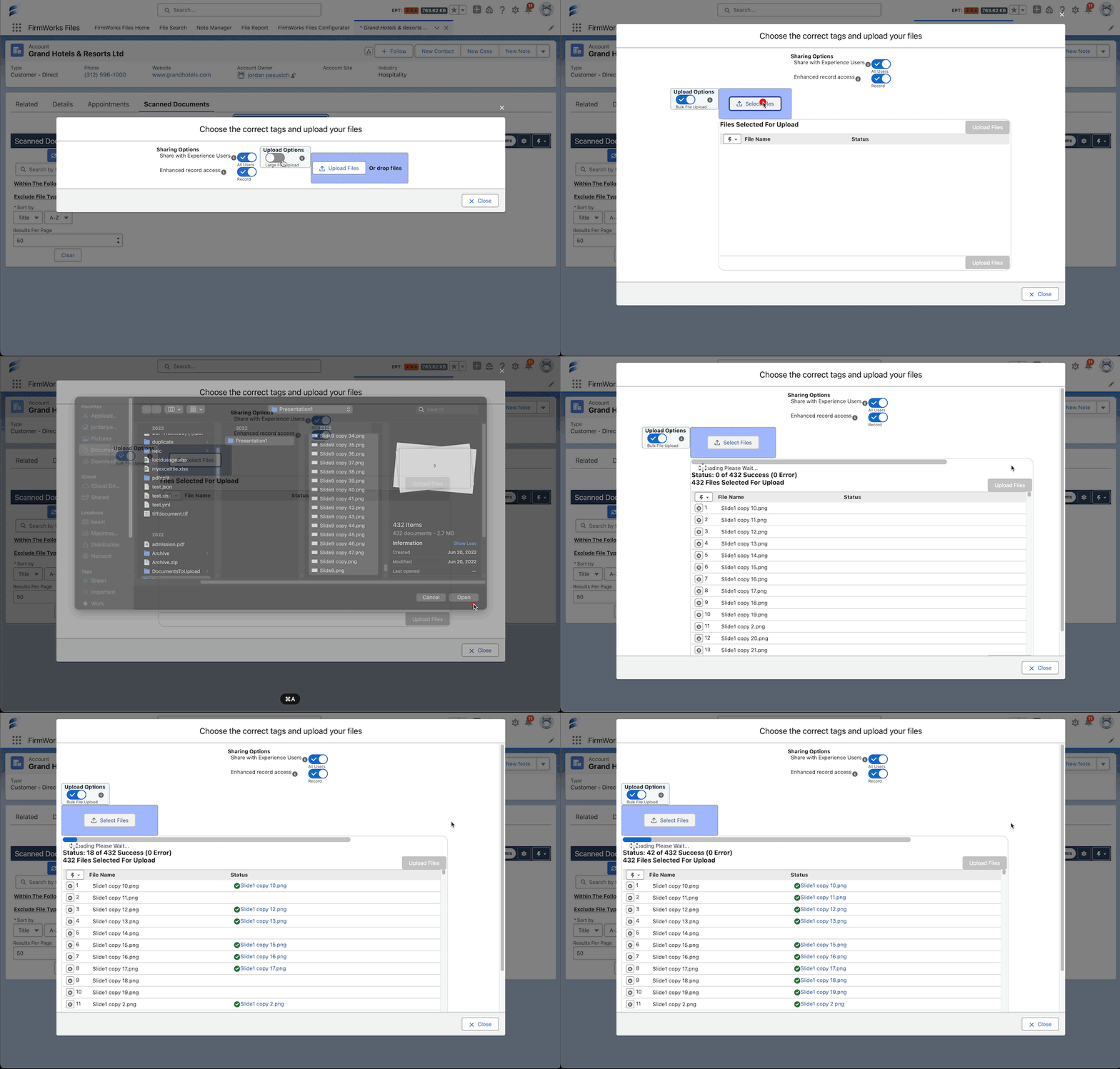
Upload up to thousands of files at once with Enhanced Upload
Native Salesforce limits users to 10 at a time (Limit can be increased to 25)
Firmworks Files gives users the ability to upload thousands at a time.
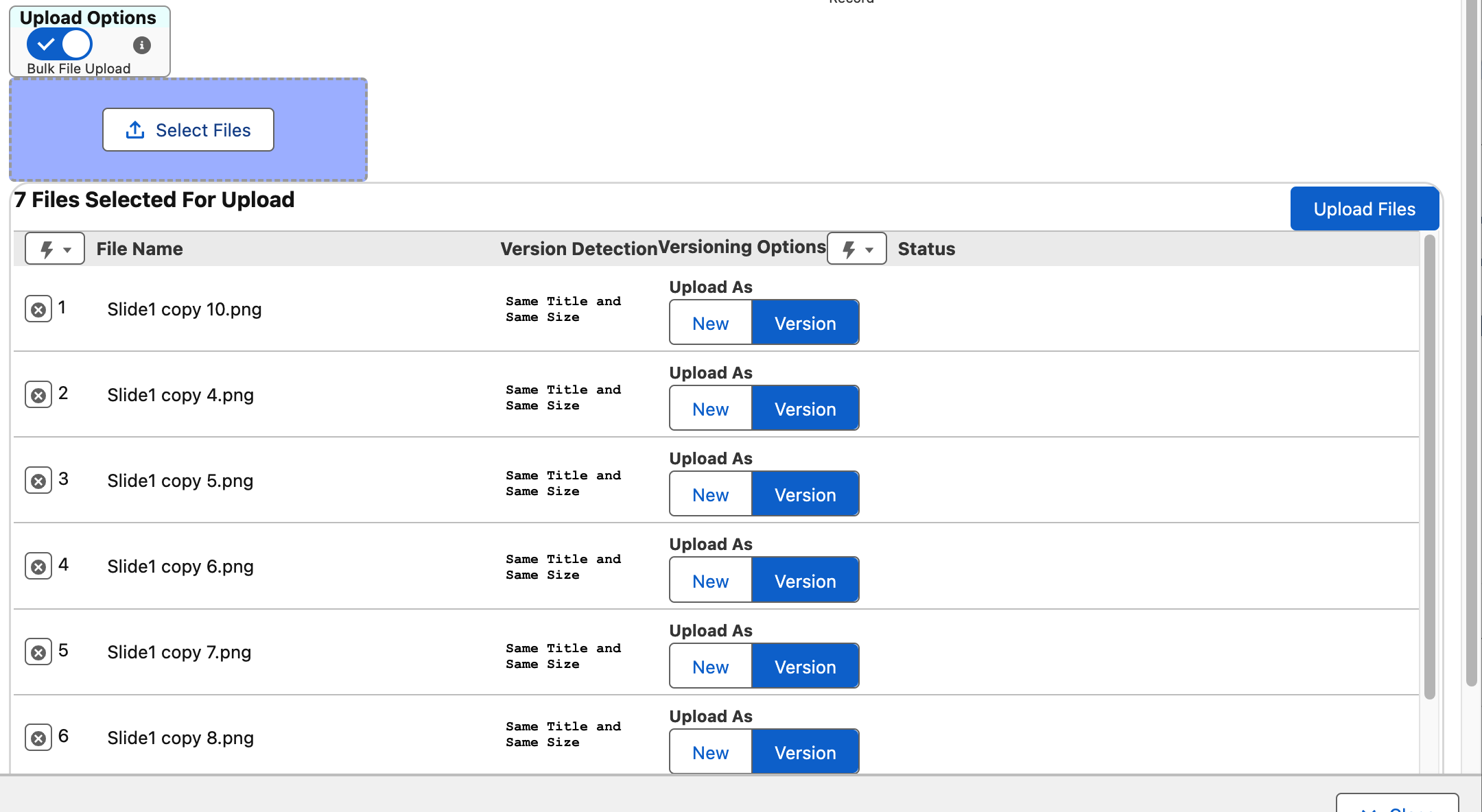
Upload new versions and skip duplicates
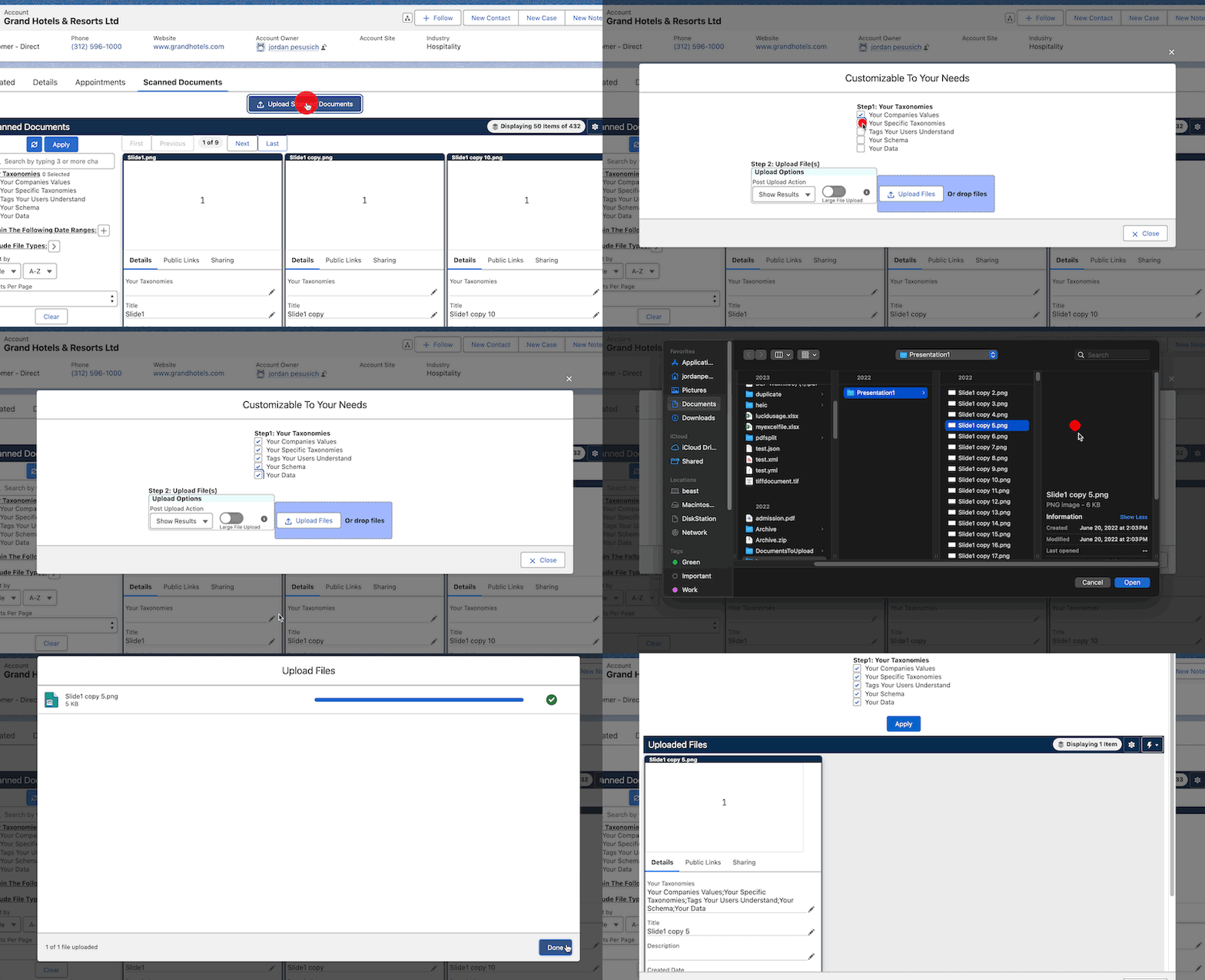
Tag files with their correct taxonomies during upload
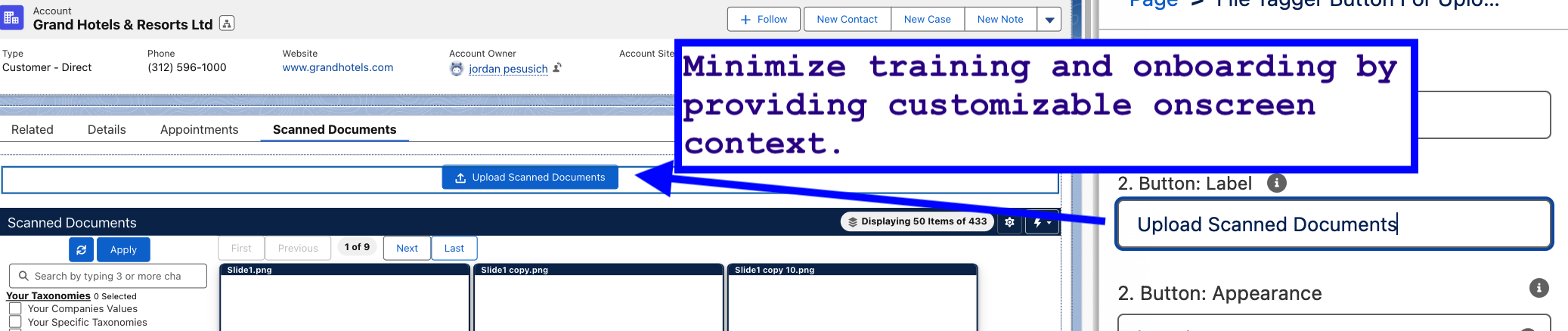
Curate experiences to minimize users uploading the wrong documents
Tagging
Tag files easily and quickly that are already in the system
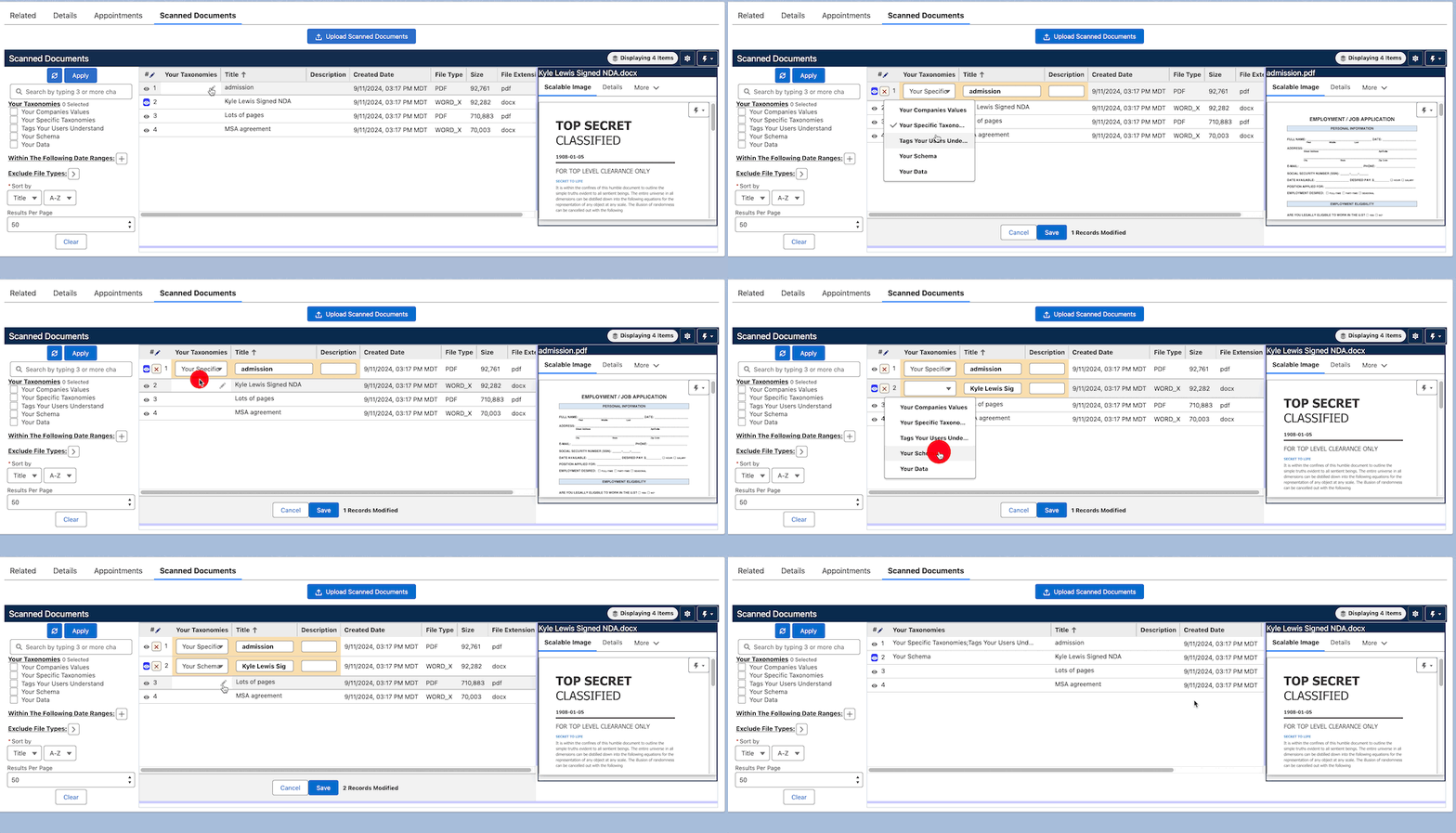
Tag, relink or re-own hundreds of files in one step with bulk actions
Select the files from any search and set their tags, find and replace in text fields, link them to records or change their owner together. See Bulk Actions.
Find the files that slipped through untagged
The Files Dashboard counts files with no tags and opens them in File Manager, ready for bulk tagging.
Create processes and workflows to audit files for accuracy
Support files in flows and automation
Searching and Filtering
Search for files by their content
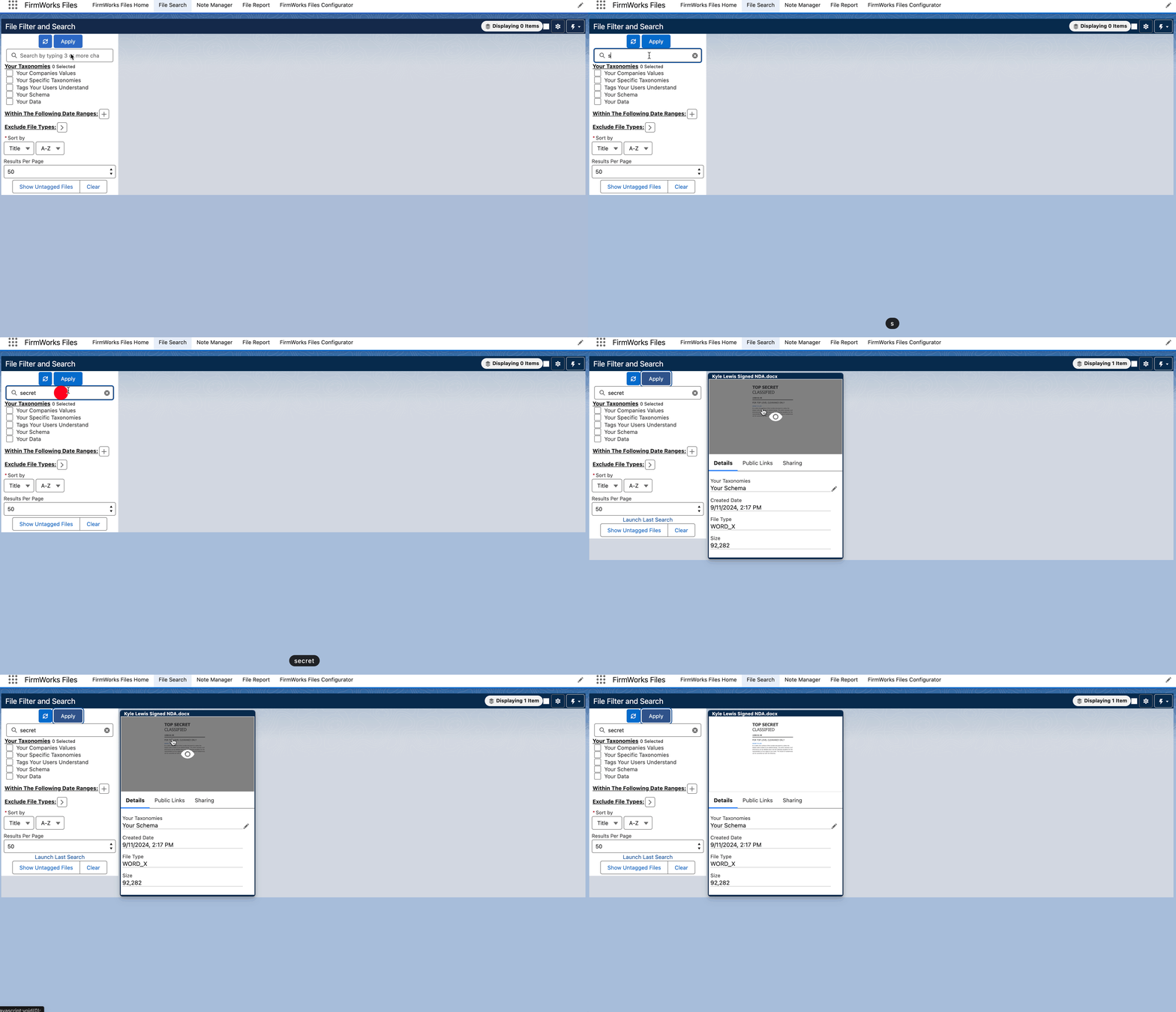
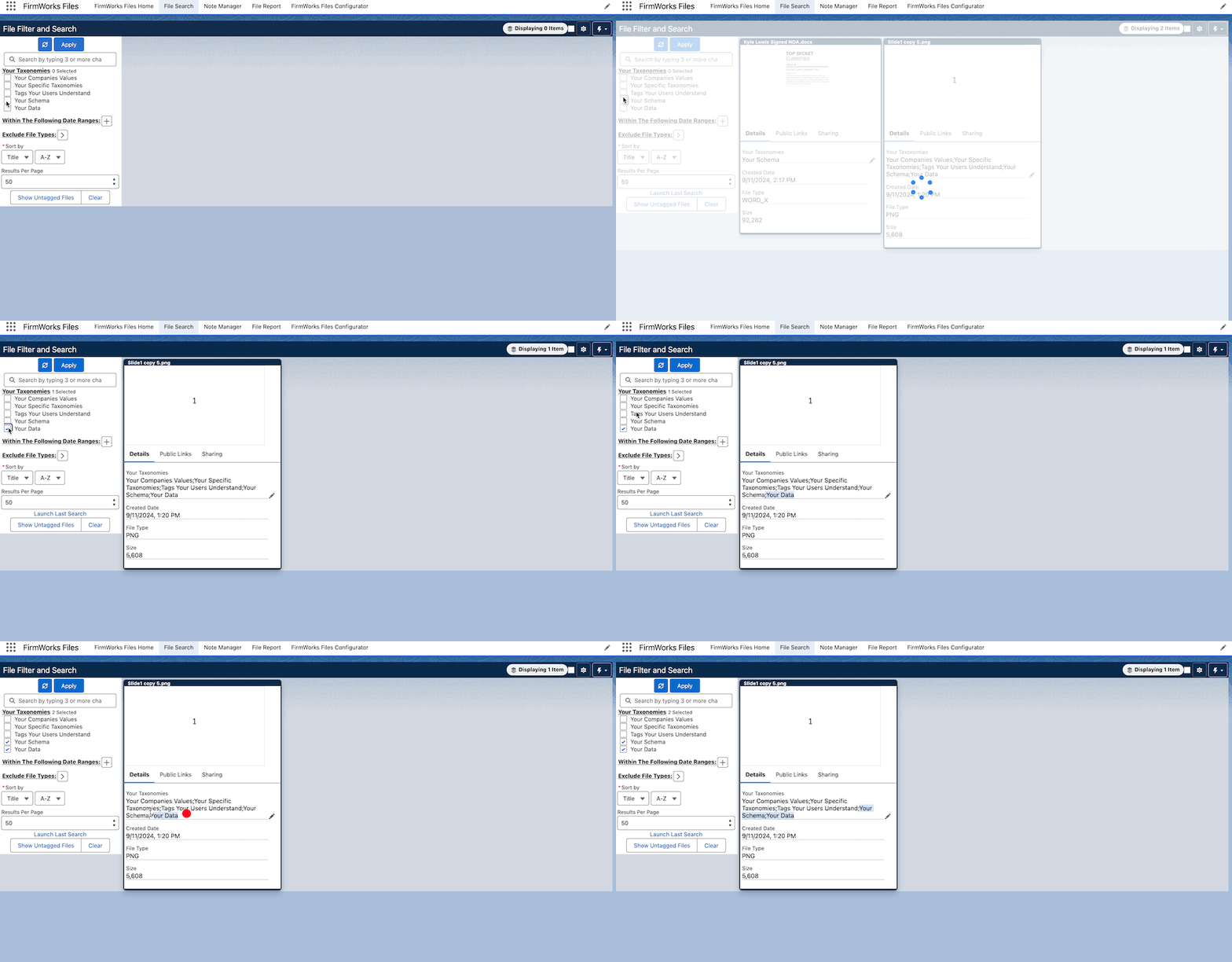
Search for files tagged
Viewing
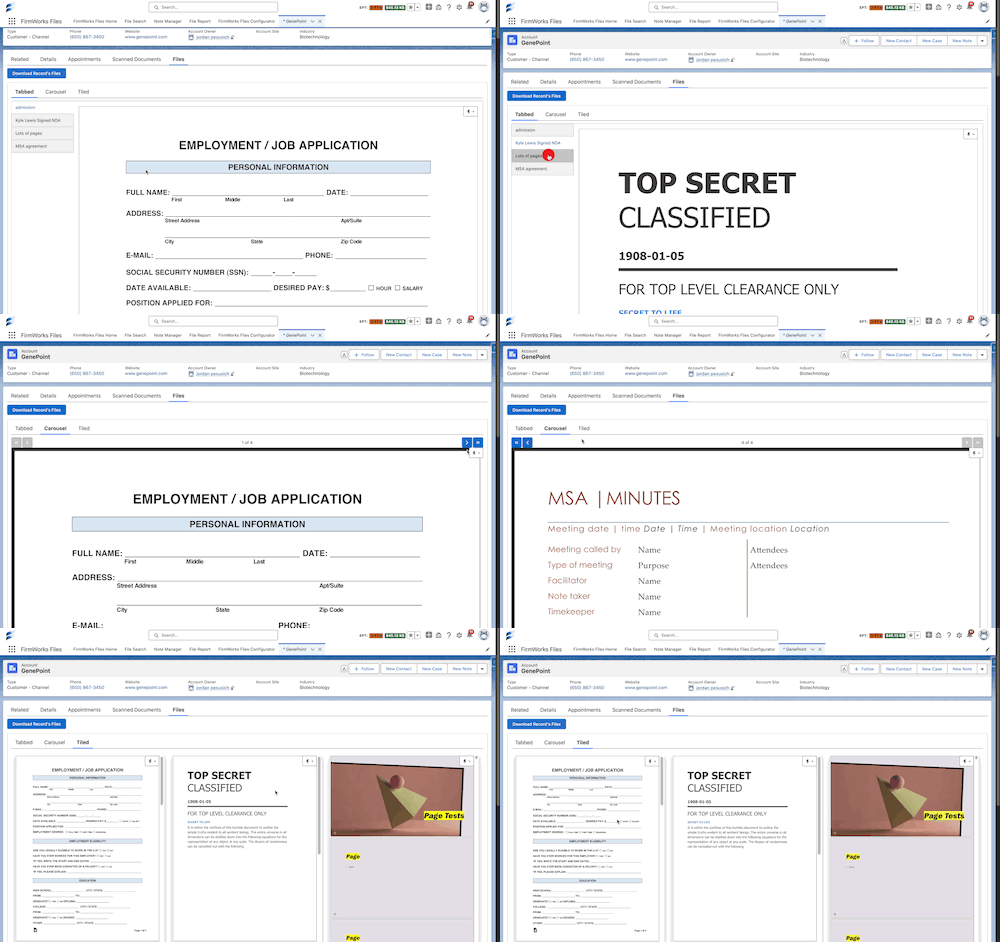
View videos, photos, pdfs, word docs, heic files and more
Curate tabs on layouts to help your teams instantly find files without opening them all - Carousel and tabbed viewers
Sharing
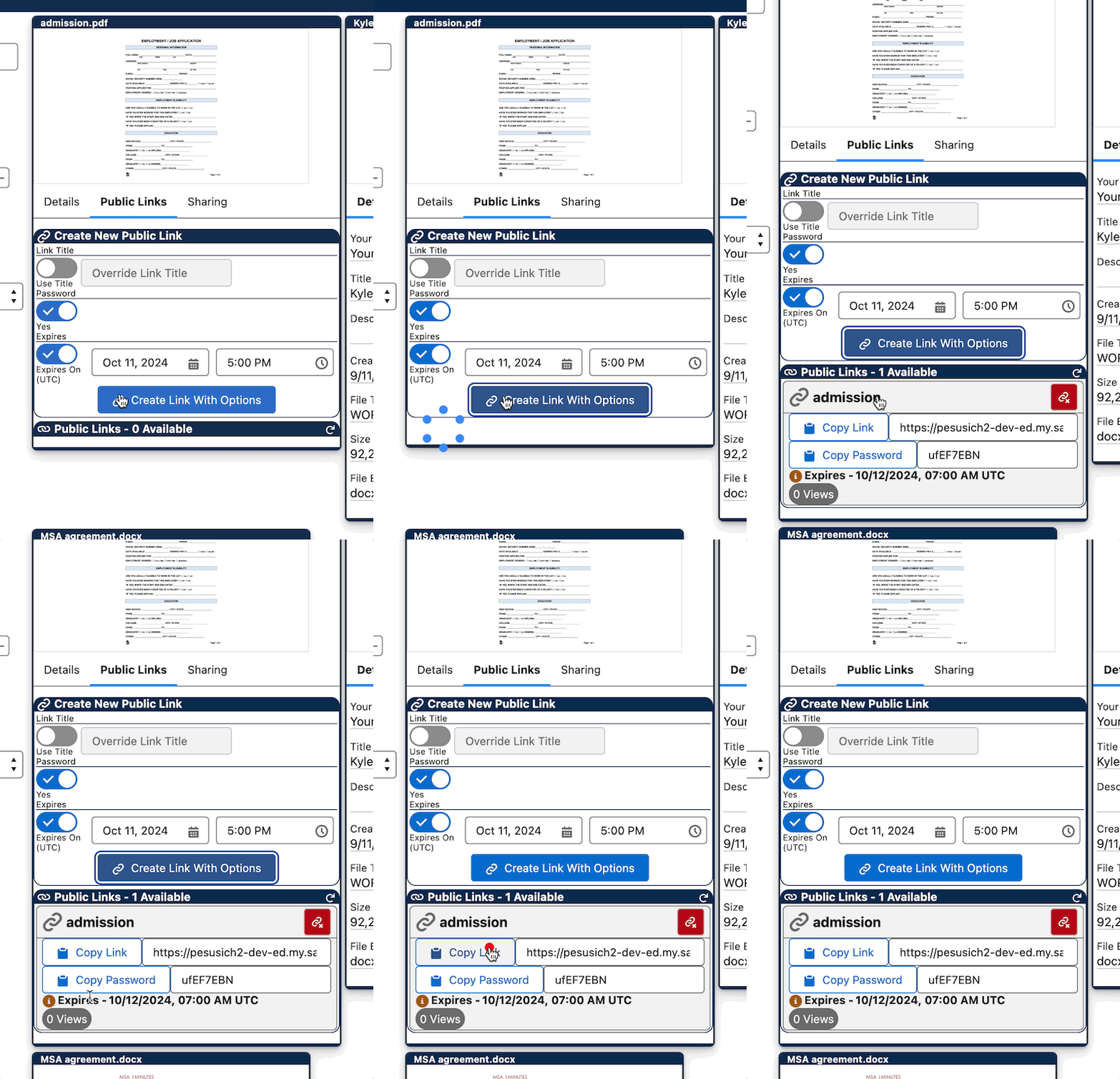
Share links to files easily with users outside of Salesforce, complete with expirations and passwords
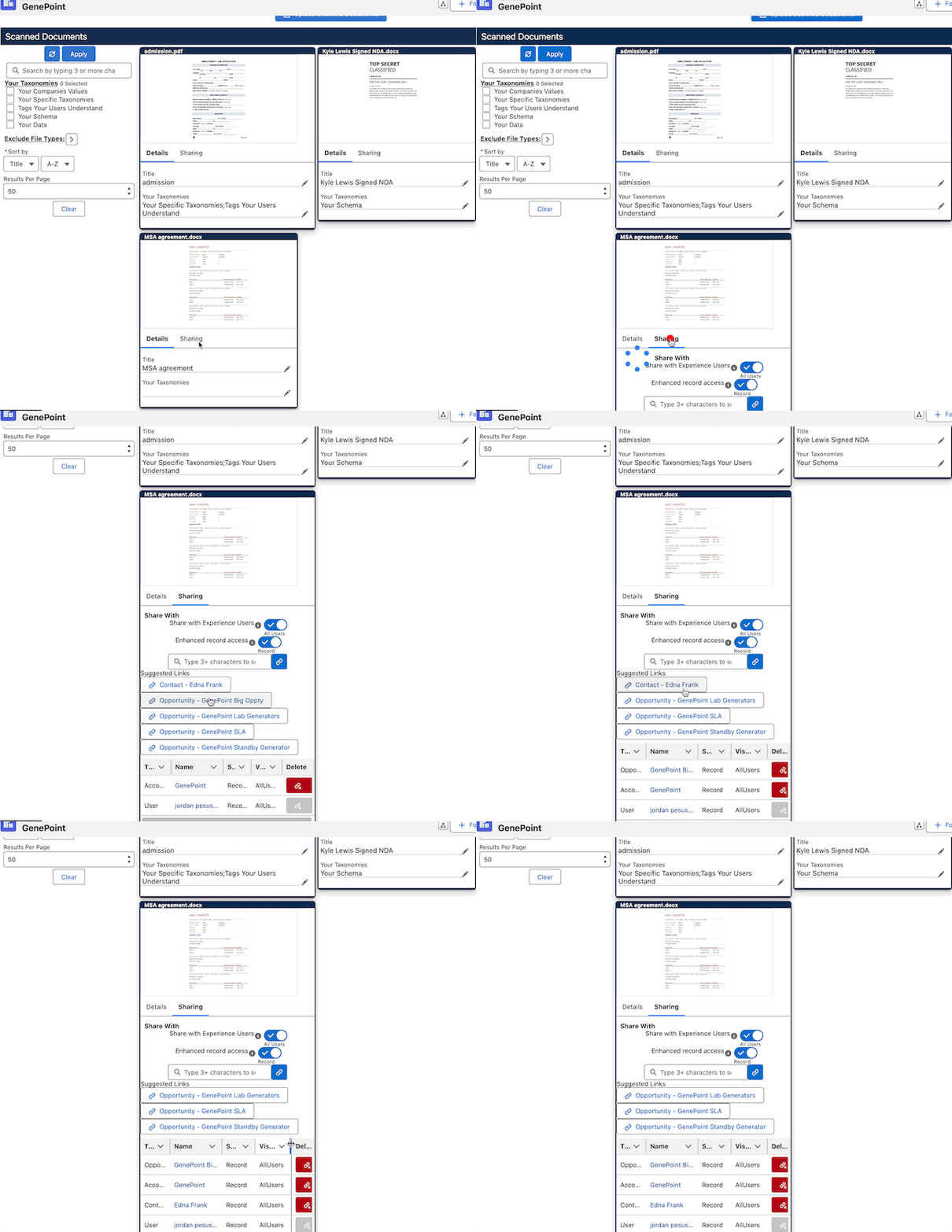
1 click make files viewable to related records
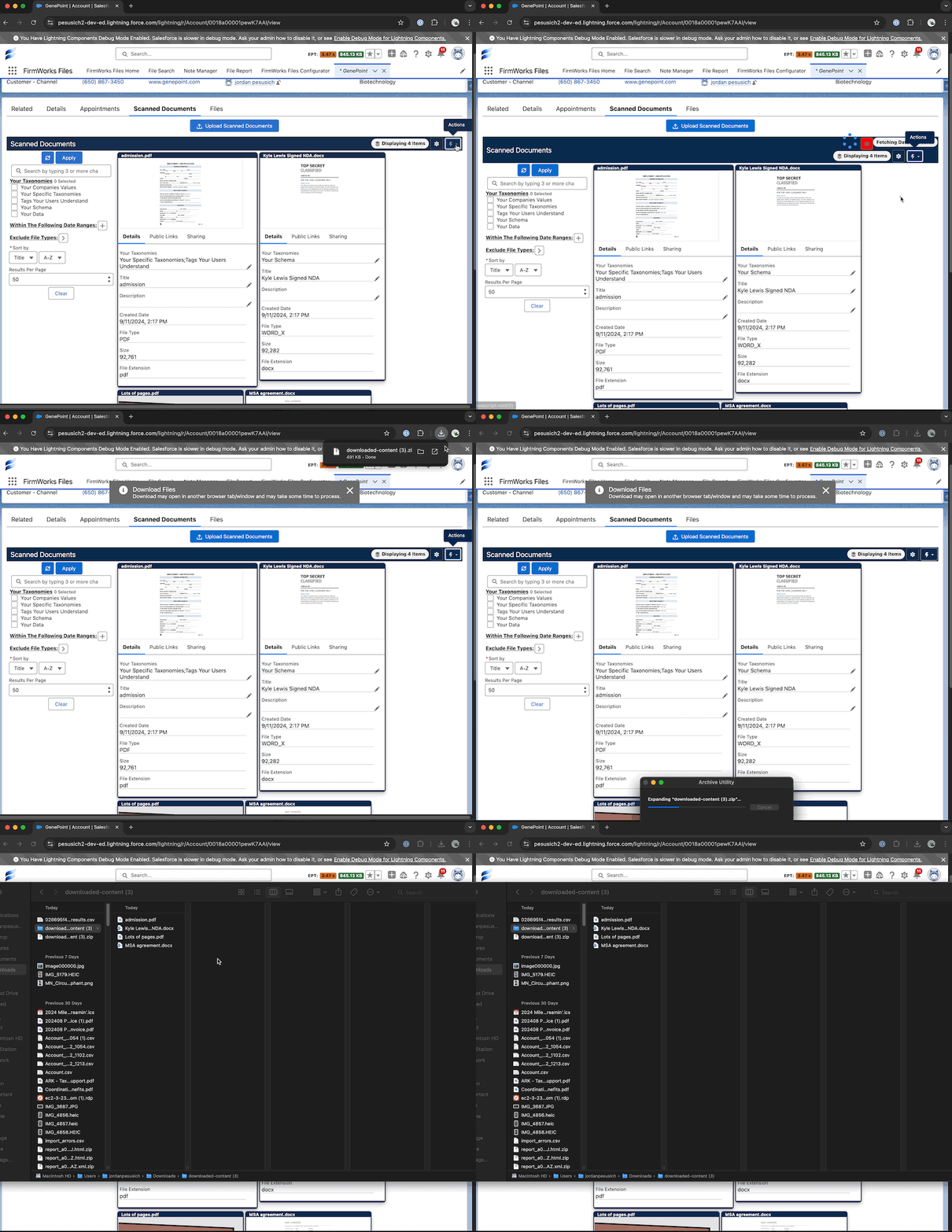
Download all of the files in any view in a single zip file
Maintaining
See every version of a file and prune the ones you no longer need
The Versions tab lists each version with who uploaded it, opens older versions in the viewer, and can collapse the history to the latest version to free storage. See Versions.
Watch storage, licenses and setup from one page
The Files Dashboard shows file storage, license seats, configurations, reports, schedules and automations with links to manage each.