
Enhanced Upload
Formerly Bulk Upload. Enhanced Upload replaces Salesforce’s standard upload, which takes 10 files at a time (25 by request to Salesforce), with a mode that takes thousands of files in one session, detects duplicates, supports versioning, and enforces a maximum file size before the upload starts.
- Requirements
- Enabling Enhanced Upload
- Uploading
- Duplicate detection and versioning
- Maximum file size
- Removing files from the list
- Cancelling an upload
- Identifying files uploaded this way
- Troubleshooting
Requirements
- The uploading user needs the API Enabled permission. Enhanced Upload calls Salesforce APIs directly from the browser: files under 35 MB go through the SOAP API and files of 35 MB or more through the REST API. Users without API access should use standard upload.
- If clickjack protection is enabled for Visualforce pages, the Lightning domain must be a trusted domain. See Troubleshooting.
- Experience Cloud users need the Experience User permission set, which includes the supporting classes and the FirmWorks Files Batch File Support page.
Enabling Enhanced Upload
Enhanced Upload is off by default. Turn it on in one of two places:
- In a FirmWorks Files Configuration, under View Settings > Upload Dialogs: Allow Enhanced Uploads. Optionally set Default Upload Mode to Enhanced Upload so it is selected when the screen opens.
- On the component itself: Allow Enhanced Uploads and Default Upload Mode on File Tagger, File Tagger Button For Upload and File Upload & Tagger For Flows. See the Component Reference.
Users then see a switch between Standard File Upload and Enhanced File Upload on the Tag and Upload screen. Enhanced Upload works for a single file as well as many.
Uploading
- Set the tags, visibility and share type as usual.
- Choose Enhanced File Upload and select files. You can select an entire folder’s contents.
- Review the list. Each file shows its size, whether it is a duplicate, and whether it exceeds the size limit.
- Click Upload. Each file shows its own progress, and a summary shows the overall count and progress. Large files are marked as needing extra time.
Files are tagged in groups of 25 after upload to stay within Salesforce limits when triggers run on Content Version. Files that are already uploaded cannot be removed from the list.
Leaving the page during an upload prompts a warning.
Duplicate detection and versioning
Before uploading, each file is compared with files already linked to the record by title and size.
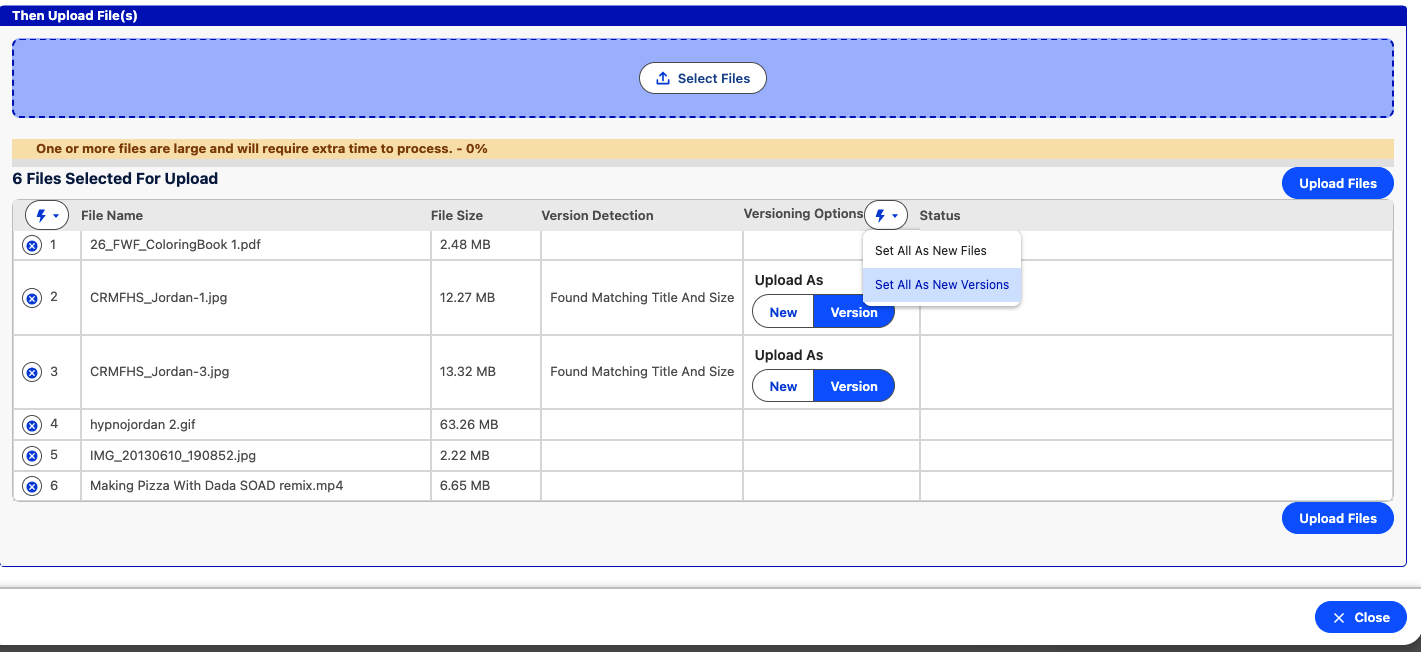
For each match you can:
- Upload as a new version of the existing file (the default). The existing Content Document gets a new version.
- Upload as a new file, creating a second Content Document.
The message on each row tells you whether the existing file has the same size, or is larger or smaller than the one you selected.
Maximum file size
An administrator can set Maximum File Size in the configuration (View Settings > Upload Dialogs). The value is in bytes, so 20 MB is 20000000. Files over the limit are marked before upload and cannot be uploaded, which saves users waiting for a server-side rejection.
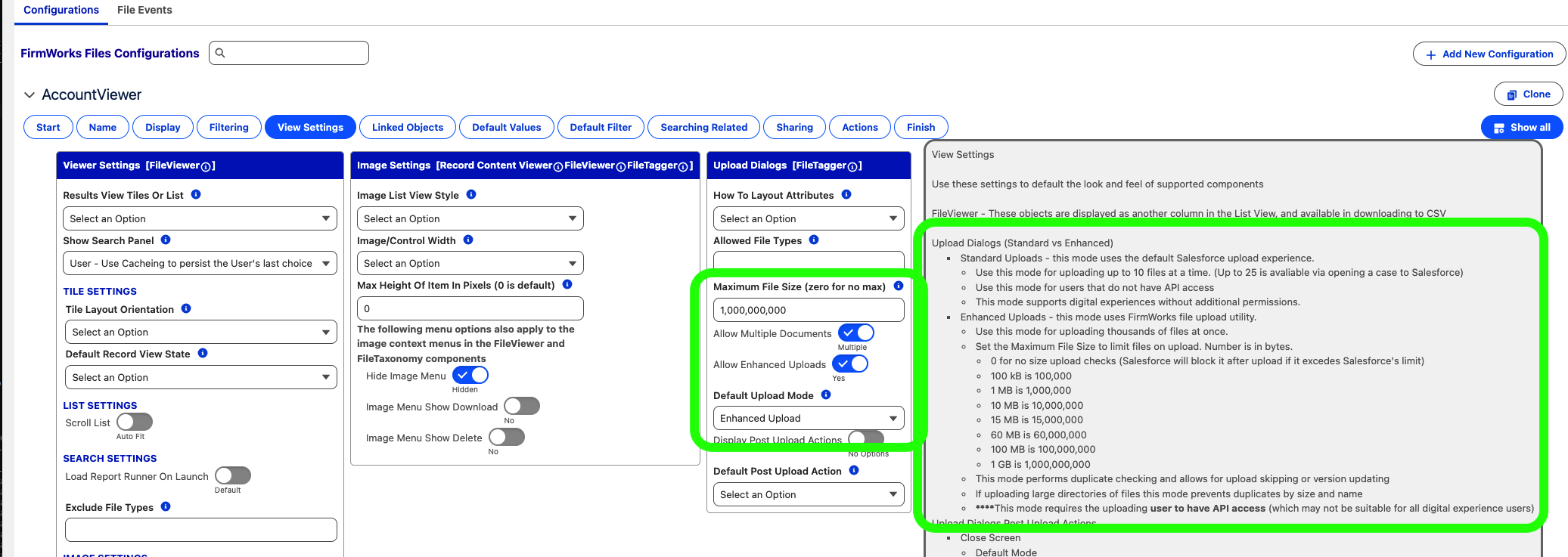
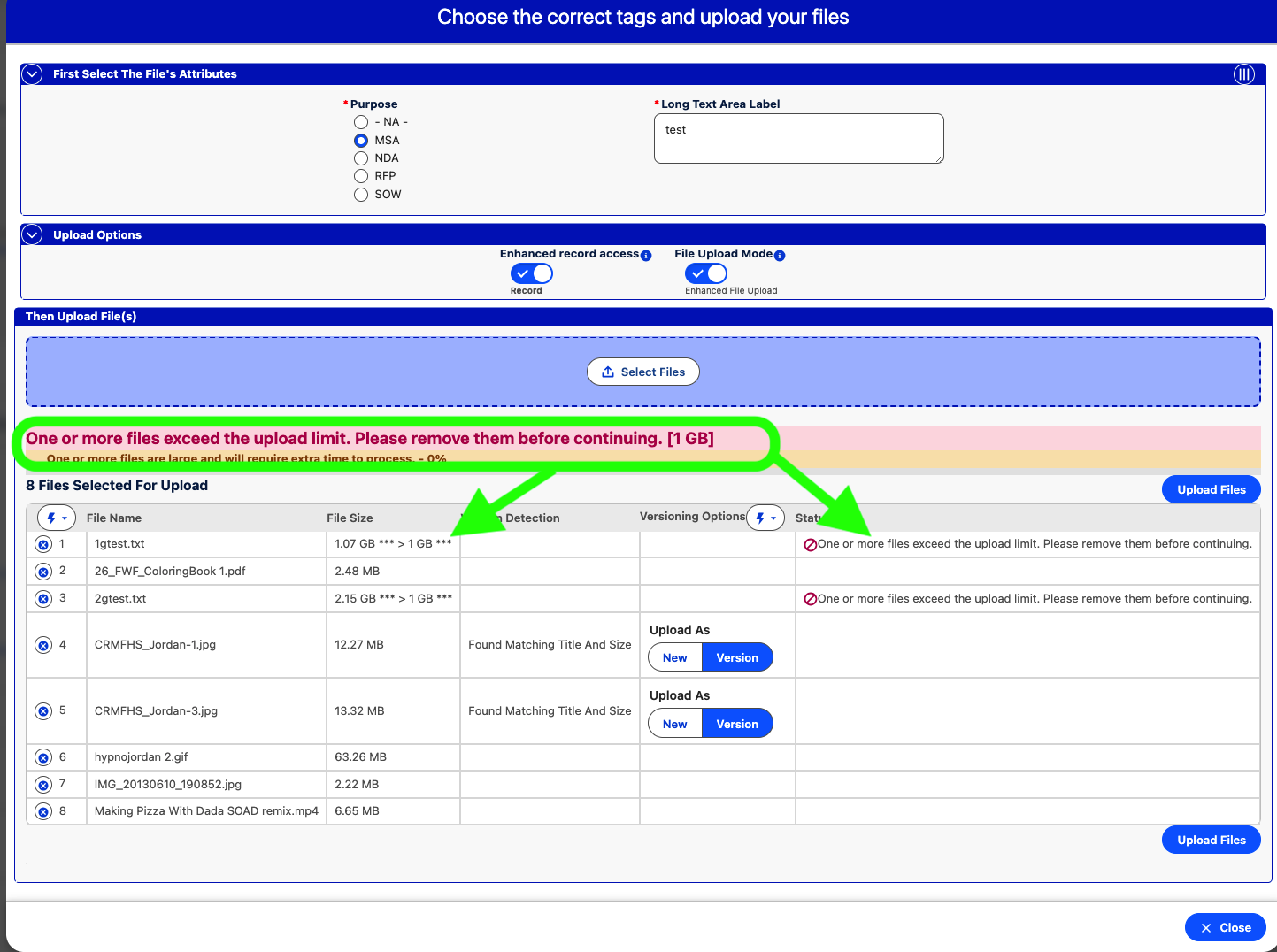
A value of zero disables the check. Salesforce still enforces its own limit after upload.
Removing files from the list
The action menu on the file list removes files in bulk:
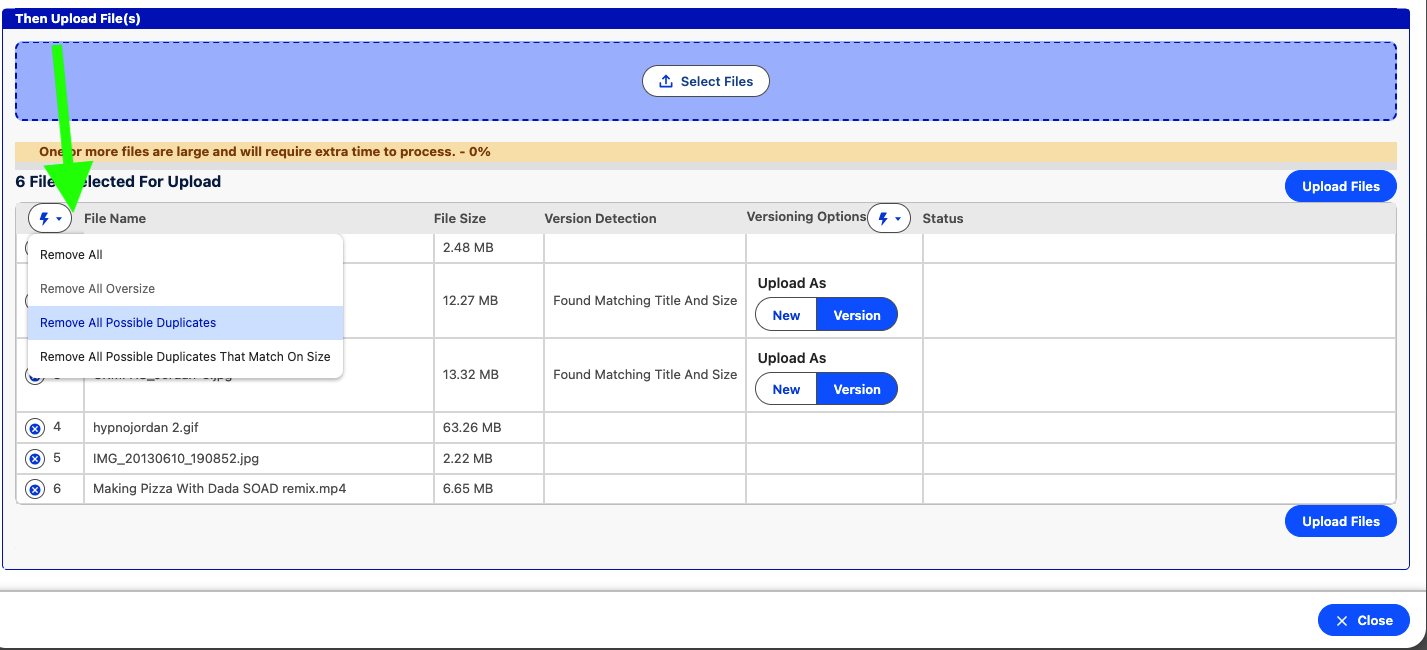
| Action | Removes |
|---|---|
| Remove All | Every file not yet uploaded. |
| Remove All Over Sized Files | Files over the maximum file size. |
| Remove All Possible Duplicates | Files whose title matches an existing file. |
| Remove All Possible Duplicates That Match On Size | Files whose title and size both match an existing file. |
This makes it practical to select a whole folder and then drop the files that are already in Salesforce.
Cancelling an upload
Files of 35 MB or more can be cancelled while they upload: click the remove button on the row and the transfer is aborted. Files under 35 MB use an API that cannot be interrupted and run to completion.
Identifying files uploaded this way
Files uploaded through Enhanced Upload have a Path On Client value beginning with /firmworksBulkFileUpload/. Use this in reports or SOQL to find them.
Troubleshooting
- The screen hangs on Awaiting Registration: clickjack protection is blocking the embedded page. See Troubleshooting.
- An error mentions API is disabled for this User: grant API Enabled. See Troubleshooting.